Showing posts with label Online Learning. Show all posts

Friday, May 20, 2011

TOS Crew Review-Wordy Qwerty

Photobucket

The Product:
Wordy Qwerty is another product created by the folks over at Talking Fingers. You may remember my review from last fall on their beginner product, Read, Write and Type. (Check it out! It's so effective at teaching my girls-especially Biggest how to type using 10 finger touch and it's reinforced phonics at the same time!!) Well Wordy Qwerty picks up where R,W&T leaves off.


WQ is aimed at 7-9 year olds in grades 2-4 and focuses on spelling the many words that they are now reading. WQ consists of 20 consecutive lessons that implement games and upbeat songs to make the learning stick.


Here's a quote from the website:


"The overall purpose of Wordy Qwerty: Foundations for Reading and Writing Fluency, is to improve phonological and morphological sensitivity, to develop a deeper understanding of how words are constructed in English, and to provide reading and writing activities with helpful feedback, in order to increase fluency and comprehension in reading and writing. "


As I stated above there are 20 consecutive lessons with 6 activities each (take a detailed tour of each activity here). The program covers the following spelling rules:


  1. Silent E
  2. Sounds of C
  3. Sounds of G
  4. J or DGE
  5. W or WH
  6. C or K
  7. CK or K
  8. CKS or X
  9. CH or TCH
  10. LL, SS, FF, ZZ
  11. OI or OY
  12. VE Words


  1. Open Syllables
  2. Double Consonants
  3. Doubling rule
  4. ER, IR, OR, UR, EAR
  5. I Before E
  6. Plurals: Add ES
  7. Plurals: Y to IES
  8. Plurals: F to VES


Photobucket
A sentence given through dictation. The child hears what is said and then needs to type the sentence. If delayed the program prompts the child and tells them which letters to type.
Photobucket
Pop a Word:  Race the clock to pop as many balloons as you can that are in the 4 word sentence given.


Photobucket
Karaoke: One of Wordy Qwerty's musical rules.


McMama's Experience:
So, will you not judge me if I say admit that spelling is a weakness in our home? Our children simply struggle with it. It could be that we've just this year began a regular spelling program with them...or it could be development...or worse yet, genes!!!


But whatever the case our girls have really needed a program such as Wordy Qwerty. No, they are not doing so well. They haven't gone through many levels and haven't made the best scores. But ya wanna know the absolute truth....it doesn't bother me! I know that they are getting exposure to the spelling rules, having fun and in time (hopefully) all of this stuff will stick! I wouldn't let this be our only curriculum of course but as a supplement I think it works pretty well! The girls enjoy it and are disappointed any time we miss our alloted WQ time.


In order to organize our time on the computer I have scheduled them to work on WQ 15 minutes each day. Honestly we don't always get to it because life happens and our schedule changes but we do our best.


I haven't seen any major breakthroughs with their spelling yet but admitedly we haven't been using this for very long. I believe however that with extended use WQ can be an extremely effective tool in aiding my girls to conquer our spelling woes.


PhotobucketThe Breakdown:


The parent account allows you to reassign the online licenses to younger children as an older child outgrows the program.  It also allows you to see which lessons your child has passed and what their score is on the lesson they’re currently covering.  They must achieve 80% to pass to a new lesson, and you can see if they’re only at 70%.


The current pricing for the online edition of Wordy Qwerty is as follows:
  • 1 user  - $25.00
  • 2 users - $40.00
  • 3 users - $52.50
  • 4 users - $60.00
  • 5 users - $71.25
     Wordy Qwerty Home Edition is available on a CD-rom for $35,  or online with a 5 year membership.  

    System Requirements:

    Macintosh Hardware Requirements:
    • Mac: OS9 with CarbonLib or OSX
    Windows Hardware Requirements:
    • Windows: 98, SE, 2000, XP
    Also requires QuickTime 6 (included) or greater

    We were provided two free 1-year licenses in exchange  for our review as a member of the TOS Homeschool Crew.  We received no other compensation, and this review is our honest opinion.   Visit the TOS Homeschool Crew blog toread more reviews on this product by other Homeschool Crew members.

    Lovin' Learnin'

    Monday, April 4, 2011

    GoGo Kabongo-TOS Review


    The Product:
    Photobucket
    Isn't it nice to find something that makes learning fun? I'll be the first to admit that online learning is not my first choice but GoGoKabongo does bring some fun to learning. GoGo Kabongo is an online world of color, fun, and education wrapped up in one. GoGo Kabongo claims to develop cognitive skills that are essential to reading such as: attention and focus, memory skills, processing, planning, visualization and comprehension. GoGo Kabongo uses games and quirkly alien/monster type creatures to engage the children in practicing these important skills while having fun. The site has three habitats, or lands, and each has 3 games. There are six levels to each game and the difficulty slowly increases with each level. The child moves up to the next level at his or her own pace.

    Learning Skills Chart
    PhotobucketOkay, so this is just another "online gaming world created to zap the few remaining cells my poor little baby has left due to the high volume of electronics and entertainment available these days" you say? Well read this quote from the website:
    "Proven effective. GoGo Kabongo games have been rigorously evaluated by cognitive psychologists in a controlled environment, as well as being field tested by kids and teachers in classrooms across the country. For more information, see The George Mason University Study"


    So maybe you can rest a little easier knowing that this website has been evaluated by people who know what they're doing and understand that we, as parents, just don't want anymore mindless electronic games available for our children.


    You can meet the Characters of GoGo Kabongo and read about each different Habitat if you'd like.

    McMama's Opinion:
    So this little website has some great aspects to it. I for one LOVE the details available to the parents at each child's personal progress report page. I can quickly and easily see what skills my children are learning at each level and how things have slowly gotten more difficult. The funny thing to me is that the levels that each of my children excel at are the same strengths that I see in their everyday academics and vice versa. I think there might be something to this place!

    I like how, if I want Brother who is learning his letter sounds to work more on Phonics I can instruct him to spend more time in Galaxy Gardens playing Rocket Racer where he needs to identify letters while maneuvering his avatar through space or I can direct him to the Twister Top habitat to play Desert Dash where he has to associate the letters with their sounds. He has tons of fun meanwhile I know that he's
     not just playing some mindless games but working on some important skills.
    Photobucket
    Honestly my kids LOVE this site! I wasn't too thrilled with another online site "claiming" to help my children while they play but I've been pretty satisfied with what the kiddos are doing on GoGo Kabongo. I do however limit how much time that they are allowed to spend on the computer. We do about 15 to 20 minutes 3 times a week. With that I feel comfortable and I know (as I've stated) that their little brains are being worked.


    When I asked them what they thought about this website a couple of weeks after we began using it Biggest said, "Oh it's fun Mommy and we're learning stuff too." Her own words. So, if they can tell that they are learning and not mind because it's fun then I'm willing to let them go at it!
    Kabongo map
    I don't really care for the language used by the characters on GoGo Kabongo however. Think California surfer. :)...hope I don't offend anyone!! (I'm from Cali by the way). I thought some of the "lingo" was a bit silly to be honest with you. It's not something that I want my children to start copying.

    Also, since the site is currently in its Beta stage (preparing for release but not there yet) there were a few glitches to it. Completely understandable. When emailed customer service was quick to respond saying "Well get right on it." Admittedly we did not have as many troubles as some of my other Crew Mates.

    The Breakdown:
    • Although I'm seriously not a fan of online games this one I think we can allow a little more often simply because I see benefits in using it.
    • Most of this site is FREE but you can get two more habitats - Galaxy Gardens and Twister Top by purchasing them for $4.95 each. BUT here is a special offer that is good at the time of this review: Sign up now and you get the galaxy gardens and habitat FREE!! So, you'd pay about 5 bucks for the last two habitats and would be ableto enjoy this place fully.
    • Great emails letting parents know what their children are learning and doing!
    • Extra activity ideas to enhance the skills the games focus on.
    • GoGoKabongo was created for children ages 4-7 (although my 9 year old enjoyed it quite a bit) but they are also testing a website designed to boost reading skills for children ages 7-10. To sign up go to www.skatekids.com. (I know nothing about this particular website but thought I'd throw that out there.)
    • Recommended system requirements:

      • Broadband internet connection
      • Processor speed of 1.5 GHz or faster
      • Screen resolution of 1024x768
      • Adobe® Flash® Player, version 9
      • Internet Explorer (IE) version 6 or higher, or Firefox version 2.0 or higher

    • Click on the banner below to read what my other Crew Mates have to say about GoGoKabongo!
    • Photobucket
    • **Any opinions expressed in this review are mine alone. I was not compensated in anyway for doing this review other than receiving access to GoGoKabongo.com to complete the review. I want to express my gratitude to the makers of GoGoKabongo for allowing me to review their product!!**
    • Lovin' Learnin'

    Friday, March 25, 2011

    Big IQ Kids-TOS Review

    The Product:
    BigIQkids.com is a web based program that focuses on math, spelling, vocabulary and state facts for grades K-8. This program is FREE but there is also a paid Premium Membership (that I am reviewing today) that is available. You can compare the two options here.


    BigIQkids.com uses customizable lessons and rewards for passing those lessons as a way to teach children good study habits and hard work ethics. When used each day for around 10-15 minutes per lesson, BigIQkids.com guarantees that improvement in the child's academic grades will appear.
    This is where parents or teachers can modify a spelling lesson to reflect the words in your current curriculum.
    BigIQkids.com is unique in the fact that the student can use this program independently. Here's a quote from the website:  "BigIQkids.com provides true, self-learning applications without the need for parental oversight. All our material and instructions (each word and sentence) are delivered to the young learner by interactive characters with phonetically correct lips so even children with limited reading skills can utilize our e-learning applications."


    Read more about BigIQkids.com here and learn about how it works here.


    McMama's Opinions:


    Can I say that I LOVE the Premium spelling portion of this website?!! Before this review came up I was really feeling bogged down with schooling two girls on different levels in math, spelling, reading and writing. I was earnestly seeking a way to "tweak" things so that some of my time could be freed up so that we could accomplish all that we needed to each day.


    Enter BigIQkids.com. My worries began to ease!! Because the program allows you to either use the preprogrammed lists or input your own I was easily able to add our words to their spelling lessons and they would then get their lessons in on the computer. I still met with them each day to review rules, words and sounds and do some dictation but the meat of their lessons were done on BigIQkids. They loved it and so did I!!! 


    What made it even greater is that with the Premium membership I was sent automatic progress emails which told me the score on their tests and if any words were spelled incorrectly how the girls spelled them. Isn't that great?!!! I could see what we needed to practice one on one because the program kept "tabs" for me!! In the life of a busy homeschooler/wife/mother/cook and everything else having help in one little area makes a huge difference!


    My girls loved their lessons on BigIQkids and I think that much of that had to do with the fact that each lesson is different. Sometimes they practiced with word scrambles or robot lesson. Other days they would have a spelling bee. There was also a review and pop quiz and finally a test. All I have to do each week is input the words into their word lists and viola! Done!! The girls still get good spelling practice and I am given a few more minutes each day to get some other lessons done. Love it! They also love that they earn a game coin for successfully completing a lesson. Most days they were allowed 1 or 2 games but we did keep a limit on that. My girls mostly enjoyed the games where they could dress up someone or change up their Big IQ Buddy. (That's their avatar...well, I guess that's the word for it. I'm not up to date with all that lingo).


    I focused on the spelling portion for our review because that's what we enjoyed and used the most but there are other areas available. Here is some quick information on them:


    Math: You can set up a child's lesson to mirror what they are doing in their current curriculum. For example, if the child is on double digit addition and single digit multiplication, the program can focus on just these two areas providing invaluable practice and reinforcement that is certain to provide them with the tools to ace their next test. Or, BigMathTime can automatically generate grade specific and subject specific lessons as per your requirements.


    Start menu for math with a neat little scratch pad to the right. You can see Big Sis' "avatar" on the bottom right...she always goes through wardrobe changes! On the bottom left is the green modify lesson book that the parent clicks on to personalize the lesson to each child. The teacher at the top left talks the child through lessons with encouragement and direction.
    I liked the math portion ok. It was a little confusing to set up at first. You use percentages to determine how much of what kind of problems you want your kids to focus on. I would also always get emails saying that the girls mastered this or that but it never showed up on their lessons.


    Vocabulary: With an extensive library of elementary through SAT prep words, BigVocabTime comes pre-loaded with word lists OR, as a parent or teacher, you can easily enter your own word lists and the program will automatically create a week’s worth of lessons, quizzes and tests around your own list with the goal of achieving 100% on the week’s vocabulary test.


    After reading the definition, synonym and antonym the child is then prompted to spell the word. This is lesson 1, step 1.
    I had meant to input our own words from our science program but never did. I think that this is a great aspect of the program however it starts at the 3rd grade level (although you can customize). Even with that the words were difficult for my learners at that level.


    U.S. States: Every elementary student will be confronted with the need to know their US State facts to mastery. BigStatesTime is the ultimate tool in learning the state's location, capital, spelling, abbreviations and general state facts. The program allows parents/teachers to add additional facts which will be included in the child's lessons and the program culminates in a “State Mastery Exam” that, if passed with 100% mastery, awards the child a State Master 
    Certificate.


    This is the Intro. lesson to States. Student clicks on any state to learn more about it.
    My girls are funny. Honestly they never seemed to do well on the state parts but they LOVED the lessons anyway. I guess that means we need to work on comprehension a little more? The computerized teacher, Jake, tells them some information on a particular state and then they are to answer questions about what they learned. Yeah, need to work on that comprehension. I appreciated this portion of the program because the girls were able to be exposed to material that I just wouldn't have the time to cover right now.


    The Breakdown:
    • I love this!
    • Premium Memberships can be purchased for each individual subject:
      • Spelling - $7.99/month or $39.99/year
      • Math - $9.99/month or $49.99/year 
      • US States - $39.99/month
      • Vocabulary - $9.99/month or $59.99/year
      • All four programs - $19.99/month or $99.99/year
    • Most of the sites can be accessed for free (however for us the premium membership for spelling would be worth it!) Check out the difference between the two.
    • Can be used with those in grades 1 on up. Everything is told to you by the computerized teachers so no extra reading is needed.
    • Can be used independently by the student.
    Click on the banner below to read what other Crew Members experienced with BigIQKids.com.

    Photobucket
    **Any opinions expressed in this review are mine alone. I was not compensated in anyway for doing this review other than receiving access to BigIQKids.com premium membership to complete the review. I want to express my gratitude to the makers of BigIQKids for allowing me to review their product!!**


    Lovin' Learnin'

    Monday, March 7, 2011

    The Reading Kingdom: TOS Review


    The Product:
    Reading Kingdom is an online reading program that is aimed at beginning readers all the way up to 10 years of age. Even older for those who need remedial work. The program is the work of the reasearch done by a  Dr. Marion Blank, the director of the Light on Learning program at Columbia University. Dr. Blank designed the program to teach the 6 essential skills for reading which are:

    The Reading Kingdom is a year long or monthly subscription based program but you can sign up for a 30 day free trial here.

    Each child starts out in the Skills Survey section so that the program can properly place the child where he or she needs to be. With no help from the parents the child completes this on their own and is then accurately placed in the correct area.

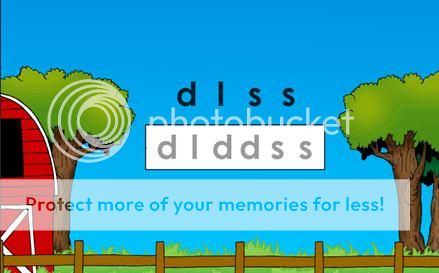
    "Type these."
    Keyboarding practice. Highly vital to this program.
    Letter Land is where the child spends time working on mouse and keyboarding skills and where most, if not all beginning readers are placed. Those who need to work on keyboard and mouse skills will also find themselves here. Letters are flashed on the screen and the child is either prompted with a "click these" or "type these" so that they know if they are to use the mouse for the on screen keyboard or find the keys on the actual keyboard. There is a very short amount of time allowed before the program jumps in and does this for the child.
    "Click on these."
    Working on sequencing left to right here.
    Seeing Sequences is another beginning area. This is where the child is prompted to click on or type certain letters in left to right sequence, a necessary and important skill for fluent reading.

    For example, Brother, 5 and very new to letters and reading was placed at the very beginning for a couple of reasons, he had no keyboarding or mouse skills (this program relies very heavily on those skills) and his sequencing and letter recognition skills needed work. Brother has been working on this program for about a month now and he just this week graduated from Letter Land and was moved into Level 1. Honestly at first he hated it...then I decided to follow the advice of the creators and let him hunt and peck for his letters on the keyboard. I was not thrilled to do that as I didn't want it to create a bad habit but for the sake of all of us I relented. He then began to enjoy it and did much better. But the timing aspect of the program gave him trouble and caused frustration for him.

    "Type these."
    Big Sis, 7 and reading above level took the Skills Survey and was placed in the same areas as Brother, Seeing Sequences and Letter Land. This was because her typing skills were not swift enough. She is still there but has used the program less frequently than the others. Honestly it irked me that my best reader was placed in the beginning simply for a lack of typing skills.
    "Type kids." Level 1.
    Biggest, 9 and reading on level passed the skills assessment with ease and was placed into Level 1. She immediately began type to out words such as girl, girls, some and more. She was given these words in a few different ways and that made the program enjoyable for her. She loves it!! She is now on to typing complete sentences which is wonderful for spelling practice! Being dyslexic I believe that this program will benefit her so much!
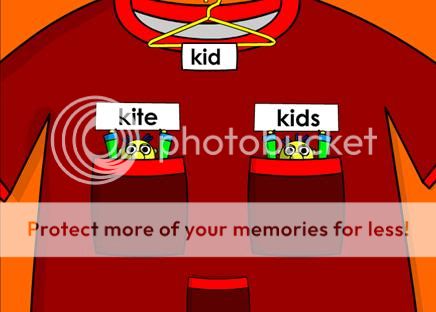
    Level 1: "Click on the word that says kids."
    McMama's Opinion:
    I am really quite torn about this program and this review. A few weeks ago I didn't like it at all but seeing how it's benefiting Biggest my opinions have somewhat changed. I will start however with what I have not cared for.

     I don't like how so much of where children are placed depends so heavily on being aquainted with the keyboard and mouse. For a reading program actual reading skills did seem to take a backseat to those skills. I think it's great that they have the child click on the correct letters on screen using the mouse but the additional task of having to find those same letters on the keyboard have proven quite a struggle for Brother and Big Sis. Honestly, right now, at their age, knowing where the letters are on the keyboard is not a goal of mine. But to use this program we have been forced to have them learn. Why can't the program simply require at least the beginners to be limited to selecting the letters on the on screen keybaord?

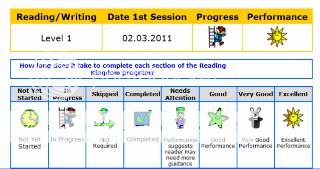
    I didn't like how I always feel so lost as to what kind of accomplishments my children were making. They do have progress reports so to speak but they are very vague and simply tell what information was covered and come at the end of the levels and surveys.

    When I looked at Brother's progress from Letter Land today it showed that he completed all four levels, the date in which that was done and displayed an icon telling me whether or not he did excellent, good or needed improvement. I don't know what he did excellently or what he needs improvement on. It would be nice if there were more detail about the child's actual current progress. Something stating that he did well but is slow in recognizing these letters, failed 'x' amount of times today to correctly sequence these letters etc. It's great when they pass something but it comes as a surprise, there's no way to tell if they are improving or not until then. Well, if there is I haven't caught on to it yet...so very possible.
    Brother working on RK and Littlest being a distraction!!
    I do not like the time limit on the program. In Letter Land and Seeing Sequences Brother struggled so much because he didn't click on the letters on screen fast enough nor was he, at times, able to find the keys on the keyboard within the alloted time...and it's ridiculously quick. I have heard that they are working on that part though.

    I disagree with Dr. Blank's philosophy about phonics. From what I can tell Reading Kingdom teaches mainly sight words and words that have what phonics programs would call "special sounds" such as "girl". (My girls always spelled that "grl" when they were learning but they always knew how to read it.) I believe that the method of learning to read relies on the child (Biggest used a phonics intense program and Big Sis basically taught herself with little to no training at all) and also calls for a careful mixture of phonics and whole word memorization. However, teaching reading is a very personal decision and can very greatly from family to family, child to child. You can read an interesting tutorial about what makes Reading Kingdom different from other reading programs here.

    Brother, who is now in Level 1, is being prompted to spell girl. The child can't even figure out what letter makes the 'guh' sound let alone spell the entire word. While working today he was telling me over and over that it was too hard and he didn't know how to spell it. The program did figure that out and eventually put the word up on the screen. He then proceeded to type it. I believe that this program will teach him to eventually read the word 'girl' but by memory only. For a word such as 'girl' I guess that's not the end of the world but it's not what I am use to in a "traditional" reading program.

    I am unsure about how much of an actual learning to read program this truly is, but it's great spelling work!! (I know, I keep saying that!)

    The creators of this program suggest that children be allowed to use one finger to find the letters on the keyboard. Reading Kingdom, although relying heavily on typing ability-or the ability to find the letters on the keyboard,does not teach 10 finger typing. This bothered me as I mentioned above but just today I saw Big Sis, who has already had some tying experience and was using the correct fingering position before this program, has now regressed to using one finger. This is disappointing to me.

    Here is what RK says, "Q: Why does the Reading Kingdom teach keyboard skills? 
    A: Teaching reading requires the teaching of writing as well. To create words and sentences, a 
    child has to be skilled in using the keyboard. This does not mean ten-finger touch typing. But it 
    does mean being able to smoothly find the required keys. Once a child has basic keyboarding 
    skills, time can be spent on learning and not on hunting for keys. 


    It would also be nice to have a scope and sequence available. I'm not sure how many parents buy a curriculum or program for their children without knowing what material is covered ahead of time. There doesn't seem to be a way to clearly understand what material will be covered throughout RK. Although it is stated that once gone all the way through children will be reading at a 3rd grade level.

    I've said a lot of negative so let me end with some positives.

    I LOVE how Brother and Big Sis are getting an extreme amount of sequencing practice. For beginning readers this is especially needful. So, for example the program will put the letters 'b o l s o' on screen and will highlight 'ols' prompting the child to click those when the selection box comes up. The child will have to click on each letter, in order, from left to right. I can't tell you how many times my two wanted to start from the right and click the last 'o'. But they would get it wrong and would be 'retrained' by having to watch the computer and then do it again. I think it's awesome practice!

    I love how Biggest is getting wonderful practice with some words that she's had a hard time spelling. Sure, she can read them just fine but spelling 'some' for instance would result in 'sum' or 'som' much of the time. She is also gaining and eye for those small words that she tends to leave out of sentences when she reads. This has been great remedial work for her.

    Since it has taken us so long to get where we are (Biggest did great but she started this program just a short time ago so hasn't gotten far). We haven't been able to see what's ahead for us. I am very curious as to how this will go and promise to update this review in a few months. You can find out how long this program takes here.

    I would have loved for this review period to have been about a month longer. I think that by then we would really have been moving and would be able to experience more of the program.

    I will keep using this for my children because I think that eventually Brother will be learning those words, albeit in a way that is very new and different to me and the spelling practice is just so great for my big girls!

    To read more about the program download The Reading Kingdom Structure Overview tutorial.

    The Breakdown:
    • I have mixed feelings about this program right now. Somethings I LOVE and other things I don't care for.
    • This seems more of a spelling program to me, yes, the children will learn the words but purely from memorization, not sound.
    • This will not work for every family. Do the trial and see what you think. To see if your young child is ready for this program read this tutorial.
    • You can purchase accss to the program for $19.95/month or $199/year plus $9.99 for each additional child enrolled in the program.
    • If you truly desire to use this program but honestly cannot afford the price RK does offer a scholarship program. You will need to contact RK for more information.
    • Our contact was a wonderful lady by the name of Colby Devit. I cannot express how helpful, prompt and knowledgeable she is!! She is a jewel and I am thankful to have been able to work with her throughout this review period.

    Photobucket
    **Any products reviewed by me as a member of the TOS Homeschool Crew have been given to me free of charge in order for me to provide you with an honest review of the product and/or how we used the product within our family. I do not receive any other form of compensation for the reviews posted on this blog. I do want to express my gratitude to Dr. Blank and the Reading Kingdom for allowing our family to review this product! The generosity of this company has been overwhelming! Thank you!!!**

    Lovin' Learnin'